For insurance agents, advisors, tax preparers and their clients
Fill smarter. Sign sooner.
FinForm turns long insurance, investment, banking and tax forms into guided, error-checked walkthroughs for you and your clients, then prints every answer onto the official form for review and signature.
No credit card. Your first form stays free.
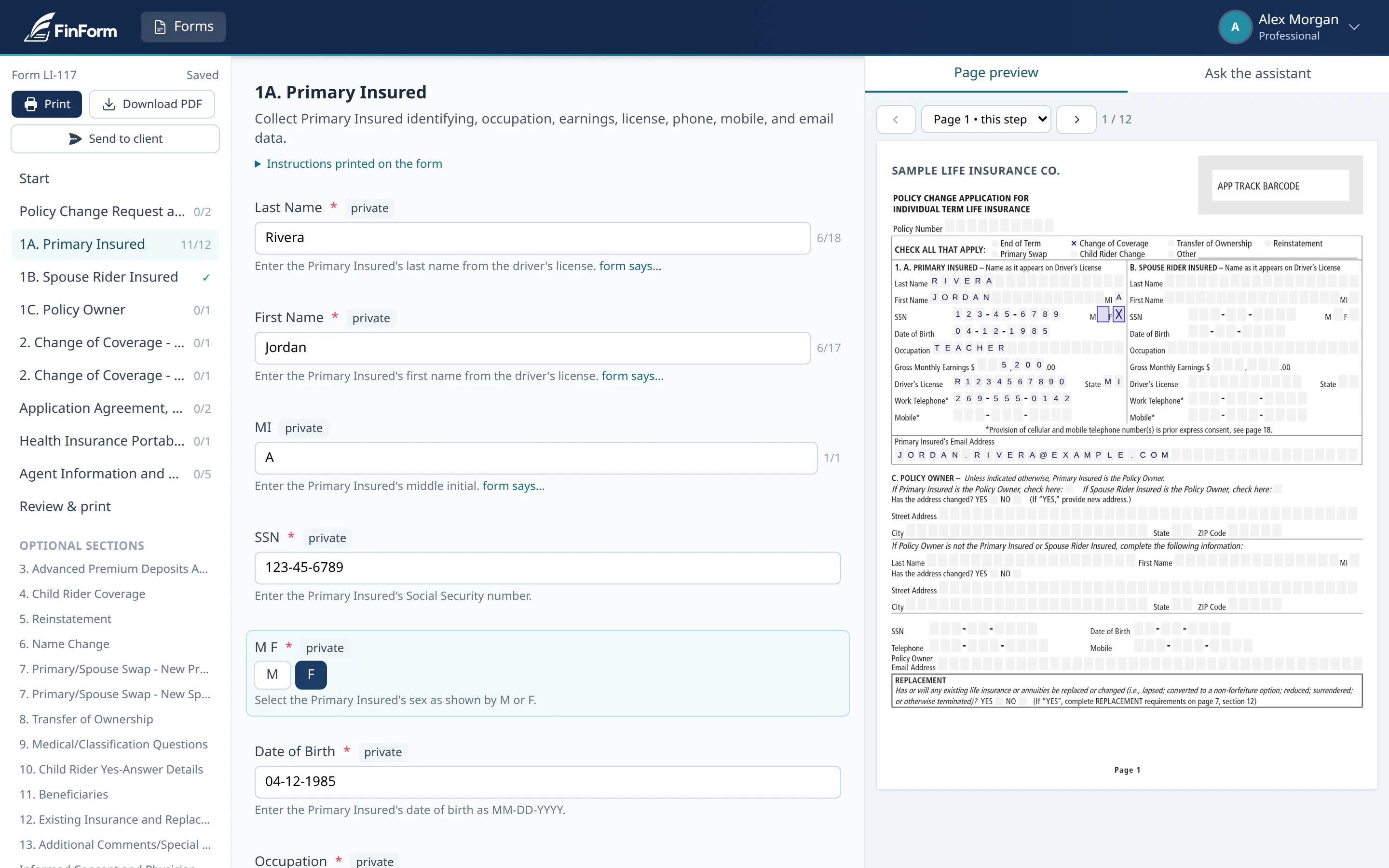
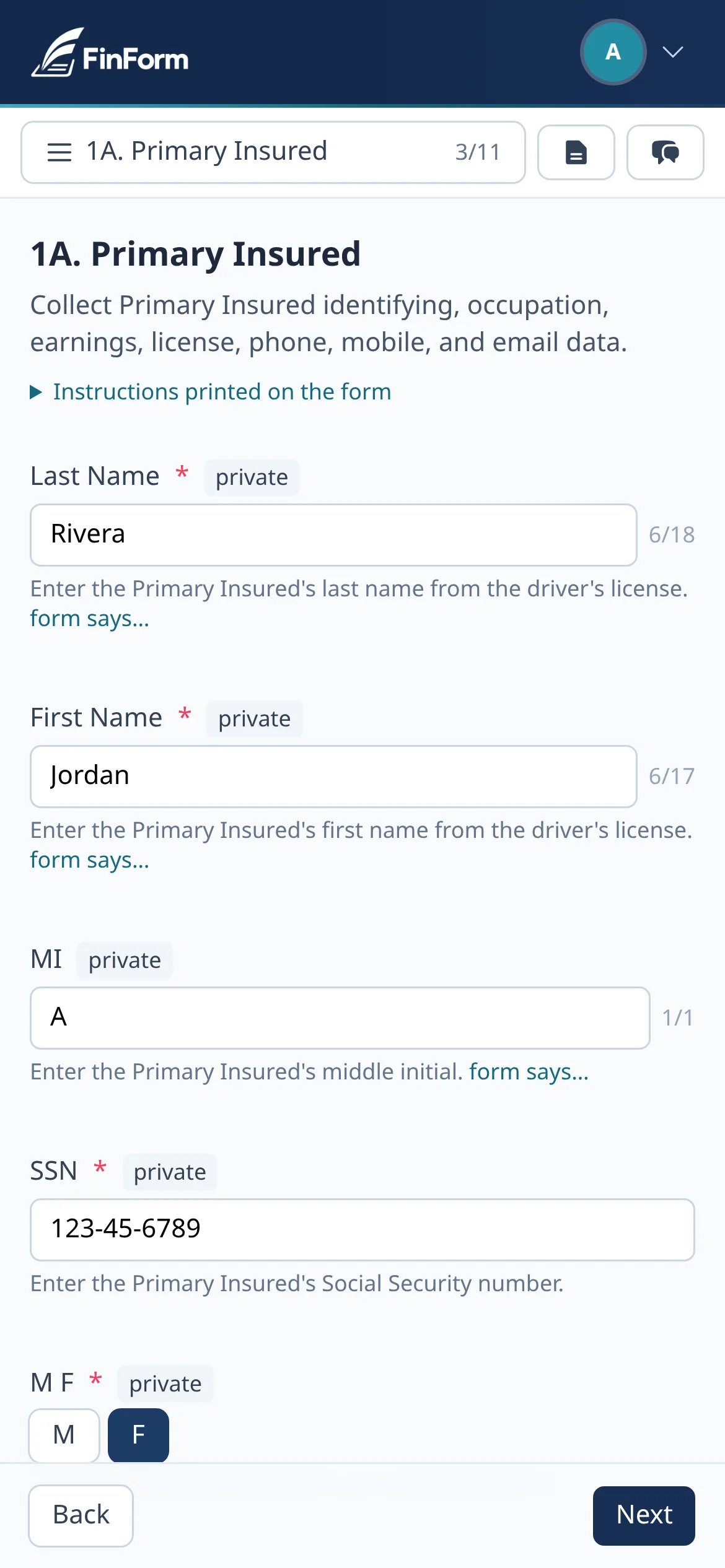
Only what applies
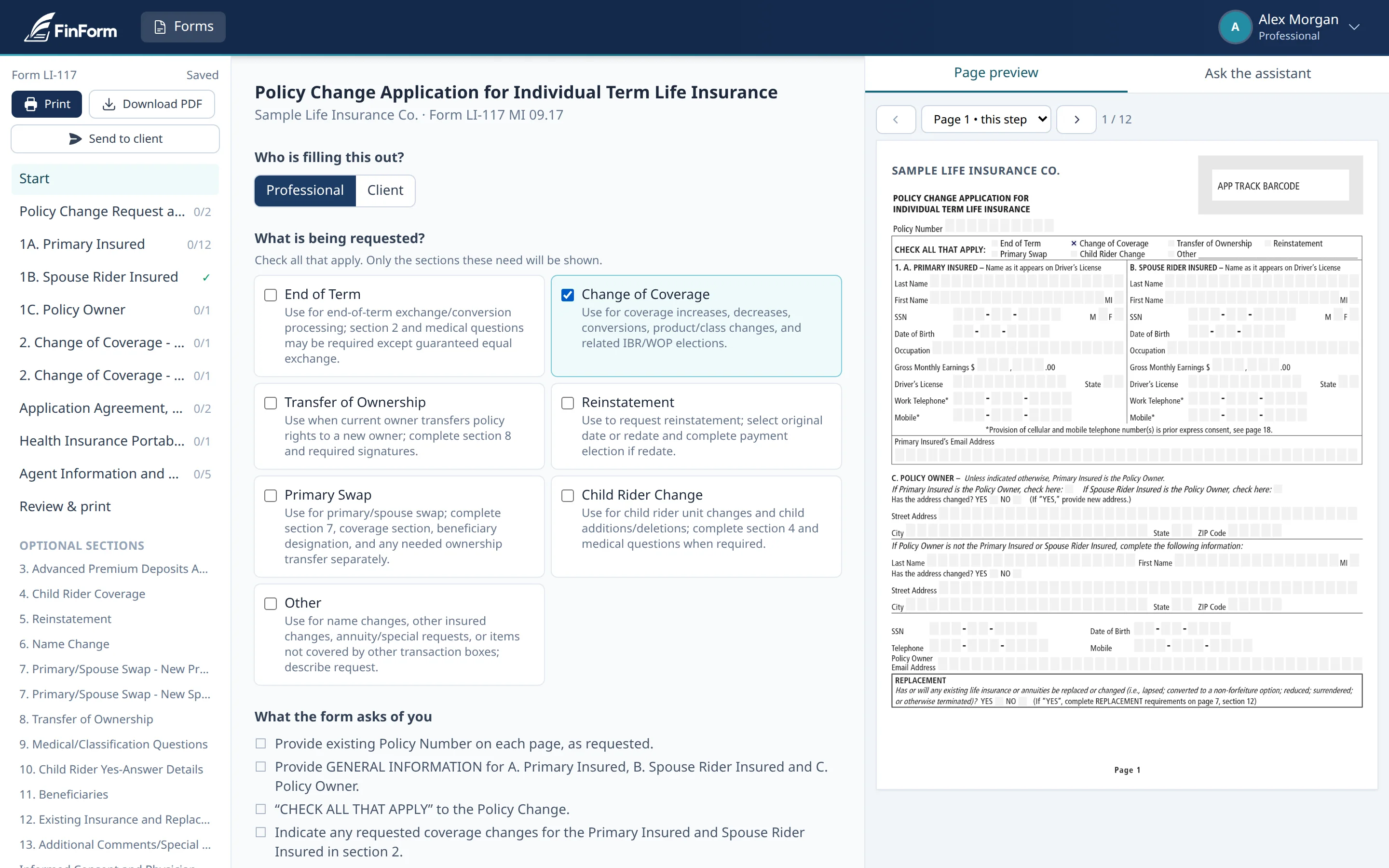
Choose the transaction, and FinForm shows only the sections that request needs.
Checked as you go
Common mistakes, like missing fields, totals, percentages, age limits and dates, are flagged before anyone signs.
The official form
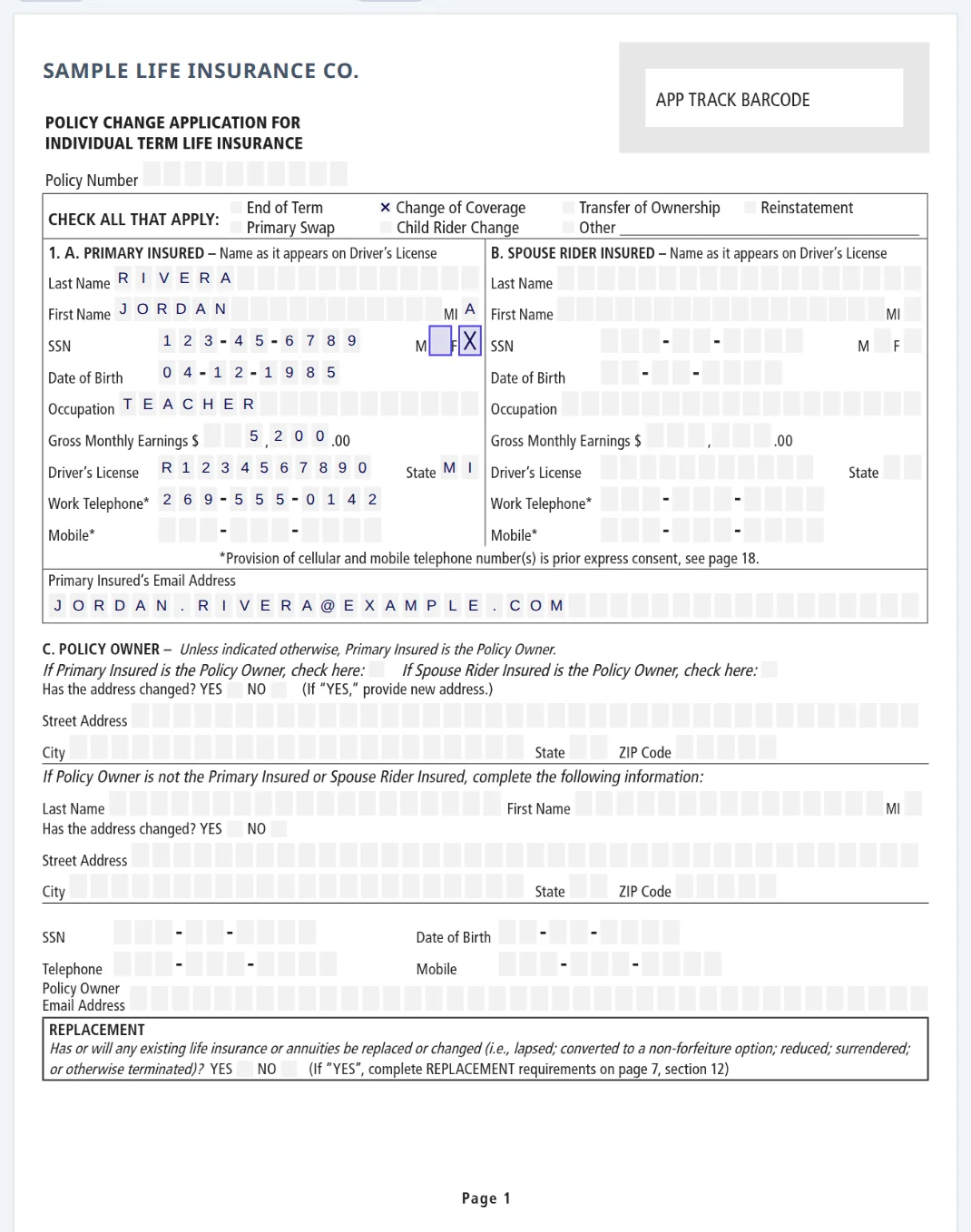
Answers are printed onto the institution's own form, never retyped onto a lookalike.
How it works
A long form, one question at a time
Send us a form you fill again and again. We turn it into a guided version, check it by hand against the original, and it's yours to fill as often as you like, in four steps.
Say what's being requested
Pick the transaction, for example a coverage change or a transfer of ownership. FinForm keeps the sections it needs and sets the rest aside, so nobody fills pages that don't apply.
Answer, and watch the page fill in
Each question comes with the form's own instructions. As you type, the answer is placed in the right boxes on the official page, so you can review the completed form before it's printed or signed.
Get plain-language answers
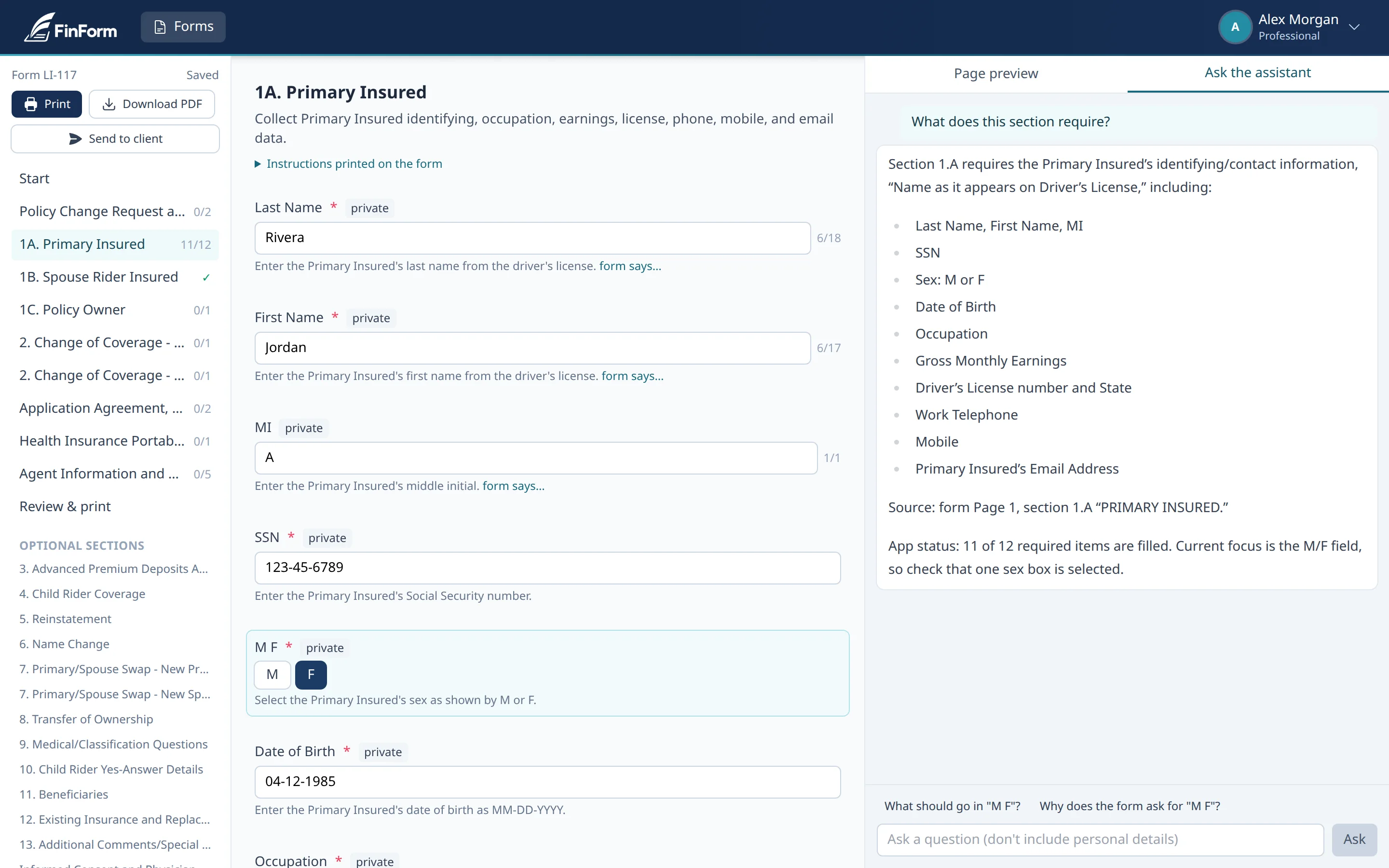
Not sure what a question means? Ask. The assistant explains the form in plain English and points to the page it's quoting. It sees the form, never the answers, and gives general information, not financial, legal or tax advice.
Review, print, sign
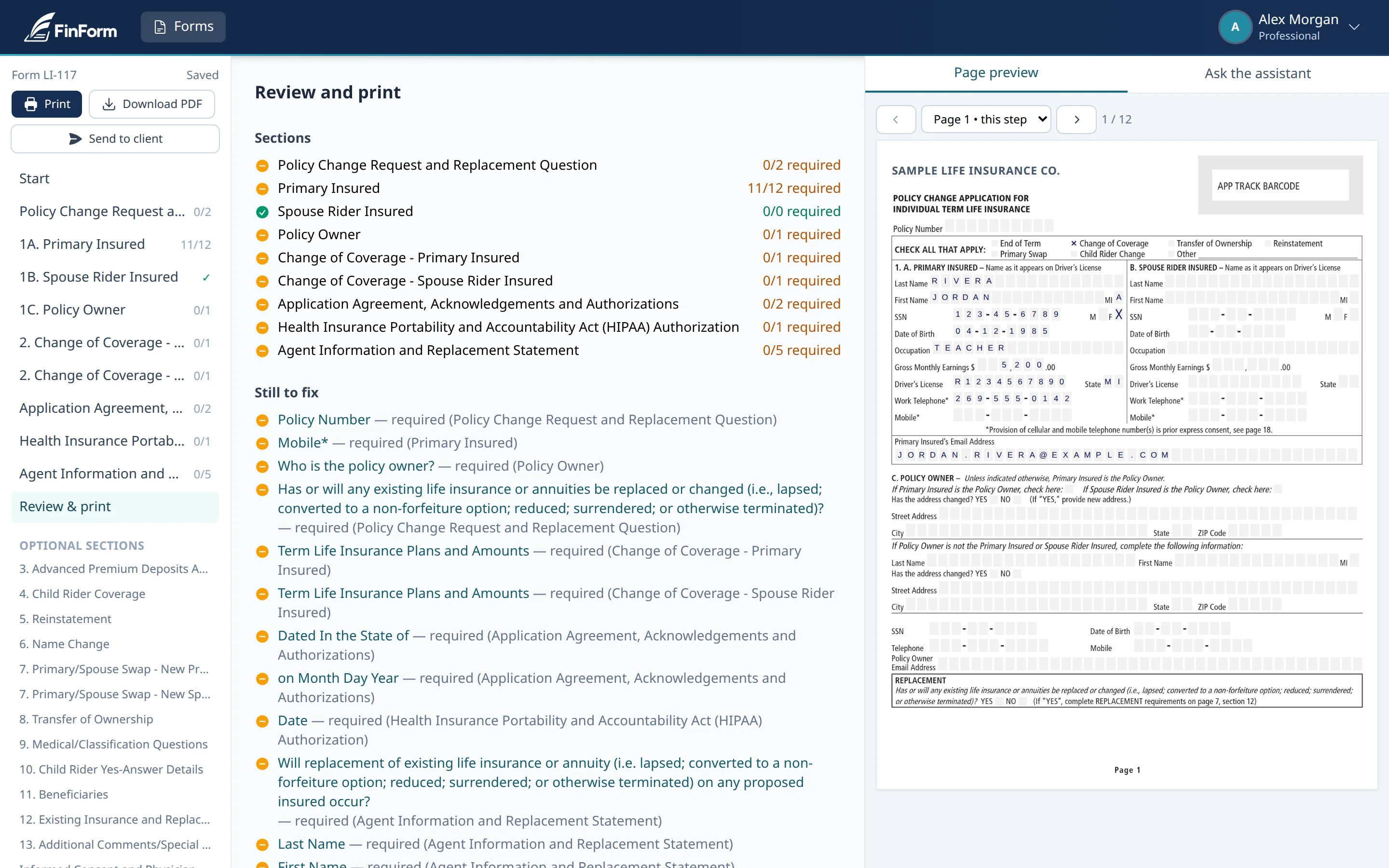
One checklist shows what's still missing, section by section. When it's clear, print or download the completed official form. Signature lines are left blank for real signatures.
Two sides of the same form
Built for professionals and the clients they serve
For professionals
-
Only what applies
Walks you through just the sections the request needs, then prints on the institution's original pages.
-
Fewer avoidable kickbacks
Flags common problems, like missing fields, totals, percentages, age limits and dates, before anything is signed.
-
Send it to your client
A secure, time-limited link lets clients finish their part, and you're told when they submit.
For clients
-
Any device, no account
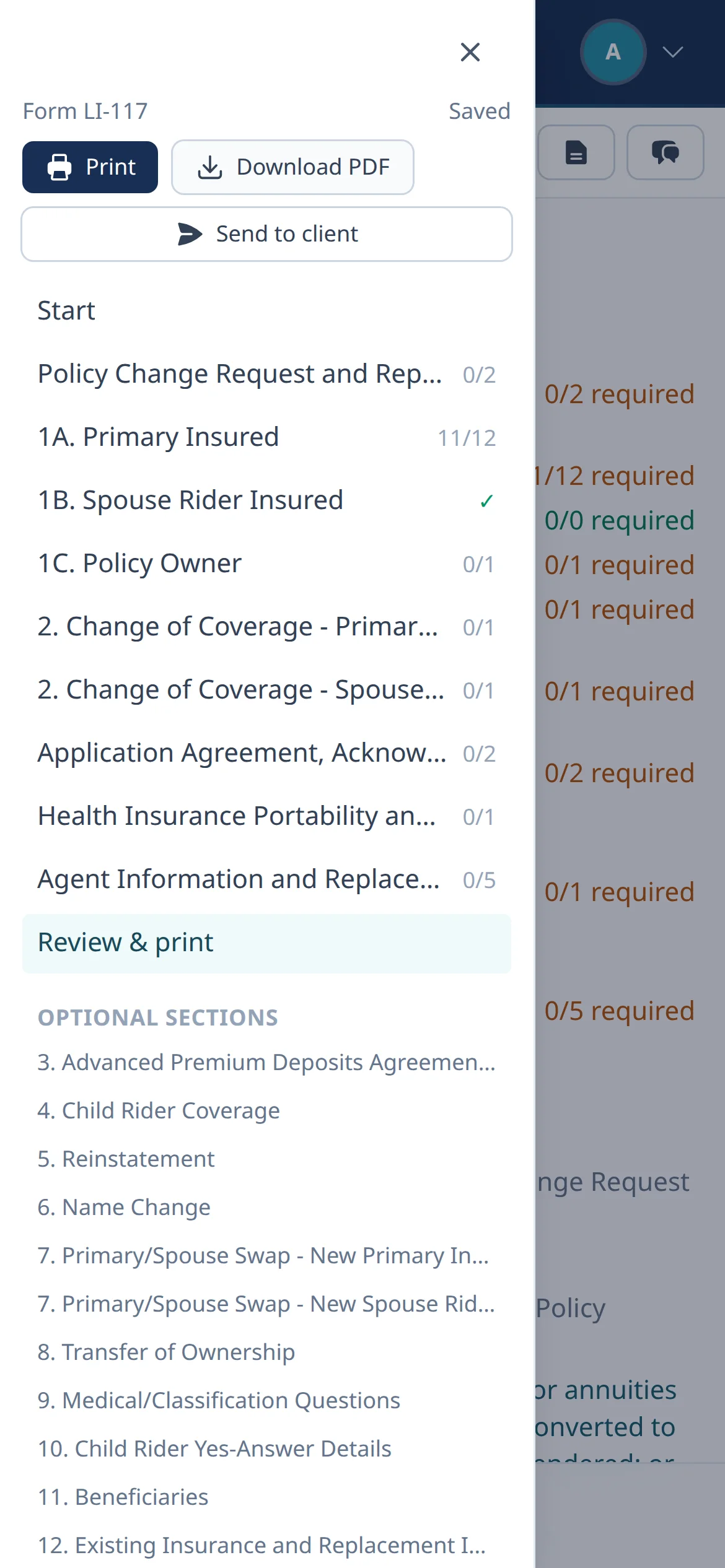
Open the secure link on a phone or computer, and come back to finish later.
-
Plain-language help
Ask what any question means and get a clear answer, without calling around.
-
Your answers are protected
Encrypted when saved, visible only to the professional who sent the link, and never sent to the AI.
Security and privacy
Built to limit who sees client information
Never sent to the AI
The assistant sees the form and which parts are complete, never the answers anyone typed.
Encrypted at rest
Saved drafts are encrypted in the database, and deleted automatically after the retention period set for each form.
Protected client links
Clients must enter a date of birth or passcode to open a link. Links expire after 14 days and lock after five wrong tries.
Clients see only their part
Agent-only sections, such as the agent certification, never appear on a client link.
Signatures stay yours
FinForm never fills a signature line. The official form is signed the way the institution requires.
No form values in email
Notifications say that something happened, never what was entered.
Pricing
Simple pricing, every feature included
Priced per user, per month. Plans differ only in how many form types you have set up, and you can fill each one as many times as you need.
Recommended
Basic
For professionals with a few core forms.
$4.99 / user / month
Up to 3 form types
Request BasicUnlimited
For practices that want every recurring form in one place.
$9.99 / user / month
Unlimited form types
Request UnlimitedEvery plan includes
- Unlimited fills of each form
- Guided, only-what-applies steps
- Error checks before signing
- Printed on the official pages
- Plain-language assistant
- Secure client links
- Works on phones and computers
- Encrypted drafts
- Form setup reviewed by a person
FAQ
Questions, answered
What counts as one form type?
One form type, such as a specific policy change application or account transfer form. Once it's set up, you and your clients can fill it as many times as you like.
Which forms can you set up, and how long does it take?
Send us the PDF you use. We'll confirm it's a good fit, turn it into a guided version, check it by hand against the original, and let you know when it's ready. Setup time depends on how complex the form is. FinForm works with insurance, investment, banking and tax forms.
What if the institution updates its form?
Let us know and we'll set up the new edition. Drafts already in progress stay on the edition they started with.
Does FinForm submit the form for me?
No. FinForm produces the completed official form for signing. You submit it the way the institution requires, just as you do today.
Is FinForm affiliated with the institutions whose forms it fills?
No. FinForm isn't affiliated with or endorsed by any insurer, bank, brokerage or agency. Their forms and names belong to them.
What does the AI see?
The form itself and which parts are complete, so it can explain questions. It never receives the answers you or your clients enter. Its explanations are general information, not financial, legal or tax advice.
Do my clients need an account?
No. They open a secure link you send, confirm their identity, and fill only their part. You're notified when they submit.
Can I change plans or cancel?
Yes. Plans are month to month with no contract. Move up when you add forms, or cancel anytime.
Get started
Tell us about your first form
We set up every account by hand for now. Send your details and the form you use most, and we'll get back to you within one business day.
Prefer to talk? Email eric@infogetics.com or call +1 (888) 528-4445.